A quick refresher — this is the part where most RFQs go wrong because the buyer and the machinist are using different definitions.
3-axis CNC milling: The cutting tool moves along three linear axes — X (left/right), Y (front/back), Z (up/down). The part stays still. To machine a feature on another side, you stop the machine, rotate the part, reset the datum, and start again.
4-axis: Adds one rotational axis (usually A — part spins around X). Common for cylindrical parts, long shafts, engraving on round surfaces.
Yuqing runs both 3-axis (HAAS VF-2, VF-4) and 5-axis (DMG MORI DMU 50, Mazak Integrex i-200) machines, plus 4-axis for turned/milled hybrid parts.
When 3-Axis Is the Right Choice
Use 3-axis when all of the following are true:
All features are reachable from one direction (top, bottom, or one side)
The part fits in a single vice or fixture
Tolerances are standard (±0.05 mm or looser)
The material is machinable (aluminum, brass, mild steel, plastic)
Typical examples:
Mounting brackets
Enclosures and housings
Gussets and plates
Simple manifolds (one face only)
Punch and die sets
Jigs and fixtures
Cost benefit: For these parts, 5-axis is overkill. The hourly rate is 80% higher and the programming takes longer — meaning you pay for capability you don't use.
When 5-Axis Is the Right Choice
Use 5-axis when any of the following are true:
Features are on multiple faces of the part
There are curved surfaces (blades, vanes, organic shapes)
Tolerances require features to be machined in one setup (to maintain datum relationships)
You'd otherwise need 3+ setups on a 3-axis machine
Undercuts are present that can't be reached with 3-axis tooling
Typical examples:
Impellers and turbines
Blisks (bladed disks)
Medical implants (hip, knee, spinal)
Aerospace fittings and manifolds
Complex manifolds with intersecting ports
Optical mounts
Engine brackets with compound angles
Injection mold cores and cavities
Cost benefit: 5-axis is cheaper than 3-axis for these parts because:
No secondary setups (saves $200–$500 per setup change)
Better tolerance holding (datum established once, not re-established)
Shorter tools can reach deep pockets (faster feeds, less chatter)
One operation vs. three operations means less handling damage
Real Cost Comparison (2026 Yuqing Quote)
A buyer in Germany requested an aerospace manifold:
Material: 7075-T6 aluminum
Geometry: 5 ports on different faces, one compound-angle boss
Quantity: 25 pcs prototype run
Tight tolerance: ±0.025 mm on port positions
Option A — Quote for 3-axis + multiple setups:
4 setups × $130 setup fee = $520
Machining: 95 min/pc × $28/hr = $44.33
Tolerance rework (re-fixturing drift): ~12% scrap rate
Total per piece: $110.20 (before scrap)
With scrap: $125.18/pc
Option B — Quote for 5-axis single setup:
1 setup × $260 setup fee = $260
Machining: 38 min/pc × $52/hr = $32.93
Tolerance held in single setup → 1% scrap
Total per piece: $39.93
Buyer saved 68% by going 5-axis. And we delivered 4 days faster (no inter-stage inspection).
This is not an isolated case. For parts with 3+ setups on 3-axis, 5-axis wins on cost roughly 80% of the time at our shop.
Common Mistakes When Specifying 5-Axis
A few things to avoid:
Specifying 5-axis for parts that don't need it. Buyers sometimes think "more axes = better." It isn't. If the part is flat, 3-axis is faster and cheaper.
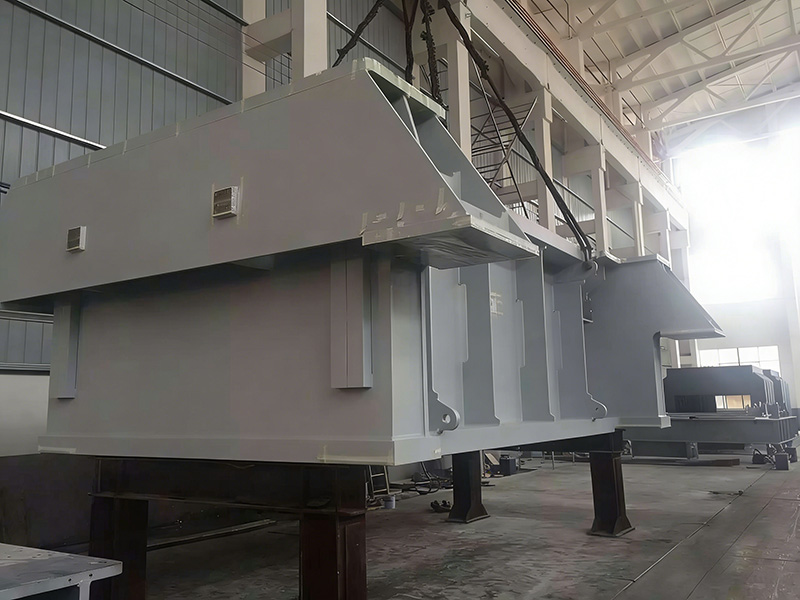
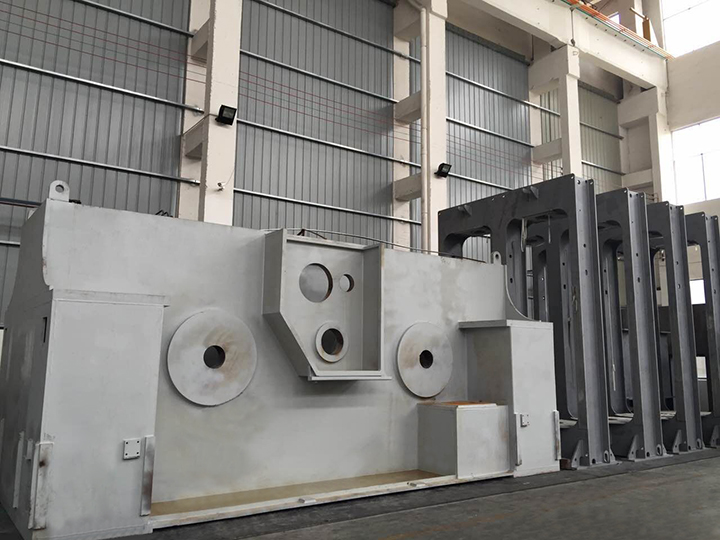
Ignoring machine envelope. A 5-axis machine has a limited swing diameter (e.g., DMU 50 = Ø500 × 400 mm). Just because it's 5-axis doesn't mean it can machine a 2-meter part. For that, you need a gantry or floor-type machine (which we also run).
Treating 5-axis as a substitute for proper fixturing. Even 5-axis parts need solid workholding. Soft jaws, modular fixtures, or vacuum tables.
Specifying tight tolerances on non-critical features. ±0.01 mm on a cosmetic boss vs. ±0.05 mm on a port position has a 10× cost impact.
Frequently Asked Questions
What is the difference between 3-axis, 4-axis, and 5-axis CNC machining?
3-axis: tool moves in X, Y, Z linear directions only. 4-axis: adds one rotational axis (typically the part rotates around X). 5-axis: adds two rotational axes, allowing the tool to approach the part from nearly any angle. More axes = more flexibility, but higher machine cost and longer programming time.
Is 5-axis CNC machining worth the extra cost?
For parts with features on multiple faces or curved surfaces, yes — 5-axis is almost always cheaper than 3-axis once you factor in setup elimination, better tolerance holding, and reduced scrap. For simple flat parts, 3-axis is the better choice.
Can a 5-axis machine do everything a 3-axis machine does?
Yes, technically — 5-axis machines can lock the rotational axes and behave like 3-axis machines. But you'd be paying $52/hour instead of $28/hour for the same result. We match the machine to the part, not the other way around.
What file formats do you accept for 5-axis work?
Yuqing accepts STEP, IGES, Parasolid, CATIA V5/V6, Siemens NX, SolidWorks, Creo/Pro-E, and Fusion 360 native files. For complex 5-axis parts, native CAD files reduce programming time by 30–50% — saving you money.
How do I know if my part needs 5-axis?
Three quick checks: (1) Does your part have features on 3+ different faces? (2) Does it have compound angles or curved surfaces? (3) Would 3-axis require flipping the part 3+ times? If yes to any of these, request a 5-axis quote — even if you think 3-axis is enough. The comparison is usually free.
What is the maximum part size for 5-axis at Yuqing?
Our 5-axis envelope: DMU 50 handles Ø500 × 400 mm parts; Mazak Integrex handles Ø650 × 1000 mm turned parts. For larger parts, we use our gantry machining center (6000 × 13000 × 3000 mm) and floor-type boring machines (Φ160, Φ200). Send us your STEP file — we'll match it to the right machine.
How long does 5-axis programming take?
For a typical 5-axis part, programming takes 2–8 hours depending on geometry. We use Fusion 360, Mastercam, and CATIA. Complex blisks or impellers can take 16–24 hours. Programming is amortized over the batch — so larger runs reduce per-piece cost.
Does Yuqing have 5-axis machines?
Yes — we run DMG MORI DMU 50 (5-axis simultaneous), Mazak Integrex i-200 (multi-axis turning/milling), plus several 4-axis horizontal machining centers. See our equipment list for full specs.